
Sign in with Google and Apple in Flutter (2026 guide)
by Qihu Zhang dev.to
7 min read
Short answer: use google_sign_in for Google and sign_in_with_apple for Apple, or wrap both with google_apple_sign_in. On Android, Google needs a Web OAuth client id plus one Android client per signing key's SHA-1. On iOS, Apple needs the Sign in with Apple capability. Then send the id token to Firebase or your backend. The code is the easy part. Most of the time goes into console setup, and most …
Topics Firebase
More like this
 Video 8 min
GENERATIVE AI JUST GOT EASIER with Firebase AI Logic and Flutter
 by
shivam srivastava
, on Flutter Pro
shivam srivastava
@theshivamlko 🇮🇳 India
Mobile Solution Architect, Experience in Android, Flutter, Dart Web, GoLang, Founder of Navoki.com, Udacity Android Nanodegree, Entrepreneur, Instructor Featur...
View shivam on Flutter ProNote: I will improve my audios in next video Learn how to implement Firebase AI logic with Gemini API in your Flutter apps with this detailed tutorial from Navoki. What you can build with Firebase AI...
Watch on YouTube- Article 13 min read
Getting started with Firebase and Flutter
The Firebase team has added instructions on how to integrate Firebase into a Flutter app.
Read on firebase.google.com 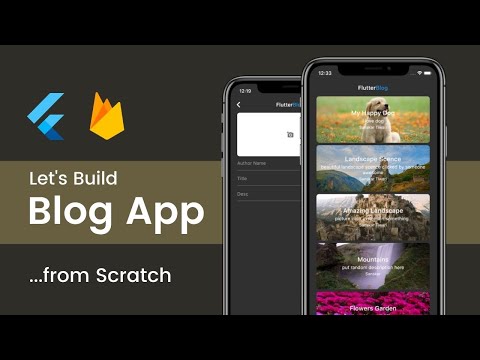 Video 1 hr 31 min
Build Flutter Blog App From Scratch | Flutter Tutorial For Beginners
 by
Sanskar Tiwari
, on Flutter Pro
Sanskar Tiwari
@theindianappguy 🇮🇳 India
Available for hire
Software Developer Native Android/Flutter, and always craving to learn more also an Open Source Enthusiast
View Sanskar on Flutter ProLearn how to Build a Flutter Blog App From Scratch Step by Step. ● 👨💻 Code: https://github.com/theindianappguy/flutter_blog ● 📙Join 5-Day Flutter Bootcamp for Beginners: https://flutternerd.com/fr...
Watch on YouTube- Video 19 min
Flutter: Login, Registration & Firebase Integration - Part 2
Watch on YouTube by
Andrea Bizzotto
, on Flutter Pro
Andrea Bizzotto
@andreabizzotto 🇬🇧 United Kingdom
Available for hire
Andrea Bizzotto has extensive experience in mobile app development, having built complex apps for various clients and as an independent developer. He is passion...
View Andrea on Flutter Pro


