
Beyond Prompts: My 3-Folder System for Effective AI Coding in Flutter
by Andrea Bizzotto youtube.com
17 min 3.9k views
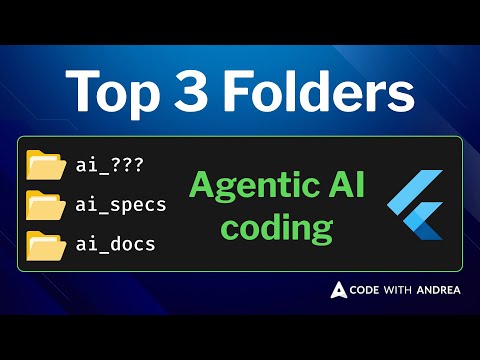
Does your AI coding workflow produce inconsistent results? Are your AI agents failing to truly understand your Flutter codebase? In this video, I walk you through my 3 essential AI folders for effective Flutter development. Why should you care? Because context is KING when working with AI. These three AI folders are designed to give your agents the precise, structured context they need to produce high-quality, consistent code. You'll discover how these folders: - Help me stay organized and follow a consistent, efficient workflow. - Make it easier for AI to follow my specific guidelines and stay on track. - Reduce a lot of friction by allowing me to easily reuse battle-tested patterns, commands, and prompts. Read the AI Transcript/Summary: https://codewithandrea.com/videos/ai-folders-for-flutter-development/ TIMESTAMPS 00:00 - Intro 01:12 - AI folders overview 01:52 - The ai_toolkit folder 03:10 - Seeding the Claude code context with the ai_toolkit 05:20 - Useful commands in the ai_toolkit 07:24 - The ai_specs folder 08:51 - The make-plan command (example) 10:43 - When things go wrong 11:48 - Additional workflow tips 13:11 - The ai_docs folder 14:47 - Summary Happy coding!
Made by
 Andrea Bizzotto
@andreabizzotto 🇬🇧 United Kingdom
Andrea Bizzotto
@andreabizzotto 🇬🇧 United Kingdom
Available for hire
Andrea Bizzotto has extensive experience in mobile app development, having built complex apps for various clients and as an independent developer. He is passion...
View Andrea on Flutter ProTopics AI in Flutter apps
Apps by Andrea Bizzotto


More like this
 Article 5 min read
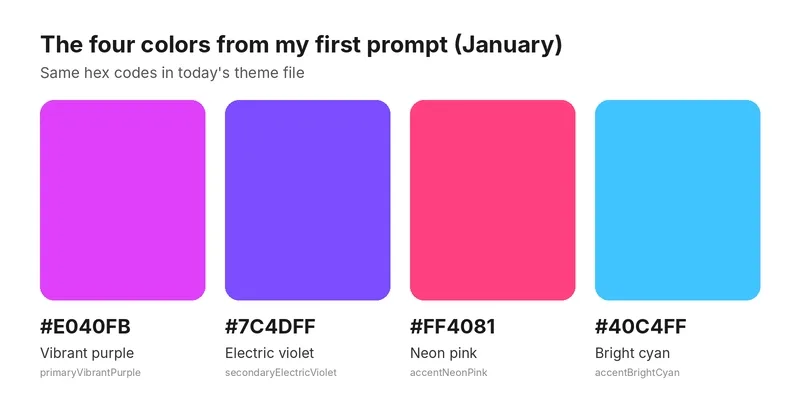
The four colors from my first prompt are still in my app. Almost nothing else is.
by Cesare Bramante
The four brand colors I wrote in my first prompt in January are still in my app today, to the exact hex code. Almost nothing else from that first sketch survived: not the logo, not the font setup, and...
Read on dev.to- Article 8 min read
AI-Powered Flutter App Development: How to Build Smarter Mobile Apps Without Overspending
by JB codeapp
Mobile applications are moving away from being basic. People are wanting to use smart search, personalised recommendations, instant chat, voice commands and much more. These are made possible using AI...
Read on dev.to  Video 1 hr 27 min
Dart แบบ Dart Dart EP295: Let's build Family Connect with Coding Agent (Part 3)
ในวิดีโอนี้ เป็นตอนที่ 3 ของการพัฒนาโปรเจกต์แอปพลิเคชัน *Family Connect* โดยใช้ *Coding Agent* เข้ามาช่วยในการทำงาน (0:11-0:21) โดยเนื้อหาหลักมีดังนี้: * *การดำเนินงานของโปรเจกต์:* ได้มีการทำ *Product...
Watch on YouTube- Video 39 min
2026 FlutterMtl October - Translating Apps Across Stacks Using AI Agents by Alexandre Boyer Laporte
by GDG Montreal
Flutter Montréal organized a meetup in Montréal. (https://fluttermtl.dev/) #dart #flutter #gdg #gdgmontreal #highlights
Watch on YouTube


